
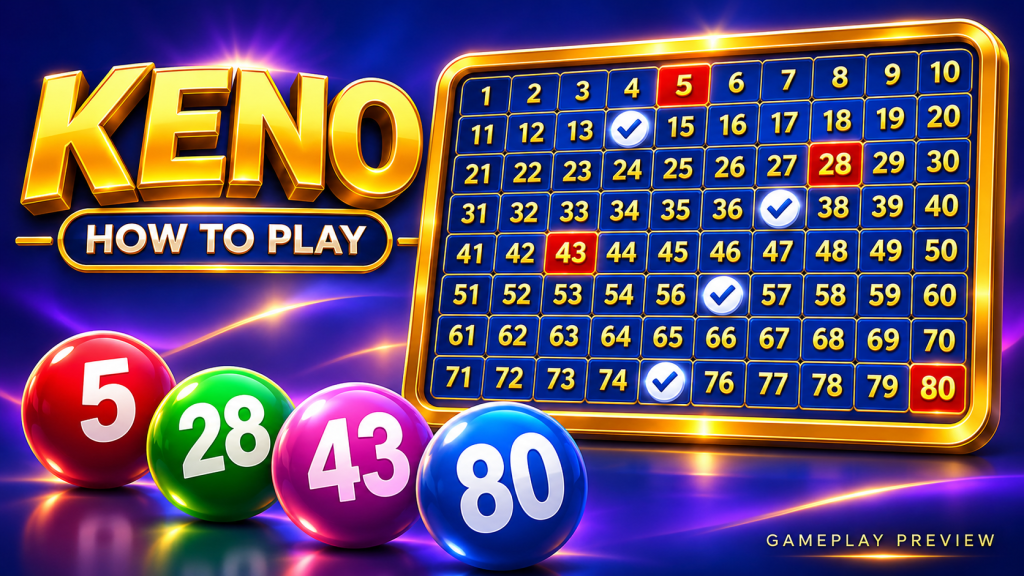
Choosing numbers is the most personal part of Keno. You can mark familiar favorites, spread picks across the board or let Quick Pick fill the ticket. This hawkplay guide explains what those controls do and why the number of spots matters more to the ticket structure than the visual arrangement.
Start With the Number of Spots
One spot means one selected number. A five-spot ticket has five selections, and a ten-spot ticket has ten. The game sets the permitted range, so confirm that range before building a ticket.
Changing spot count can change the available prize categories. It is therefore useful to compare the paytable before deciding how many numbers you want, rather than adding selections solely to fill more of the board.
| Selection detail | What changes | What to review |
|---|---|---|
| Spot count | Number of selected numbers | Matching paytable |
| Manual picks | The actual numbers on the ticket | Selection count and accuracy |
| Quick Pick | Automatic choice of numbers | Requested ticket size |
| Clear | Removes active choices | Whether stake settings remain |
| Repeat | May reuse an earlier selection | New-round total and active features |
Manual Numbers and Quick Pick
Make Your Own Selection
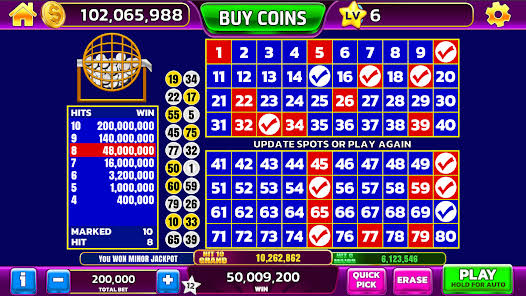
Manual picking is useful when you enjoy choosing a combination yourself. Tap the desired numbers and look for the selection highlight. If the interface lets you edit before submission, tap an unwanted number again or clear the board.
Use Automatic Selection
Quick Pick saves time by choosing numbers for the selected ticket size. It does not change what a matching result pays. Readers following this hawkplay guide can use it for convenience while keeping the same spot count and stake for easier comparisons.
Do Consecutive Numbers Count Differently?
On a standard match-count ticket, 1, 2, 3, 4 and 5 is evaluated in the same way as any other five-number selection. A diagonal shape or balanced spread does not receive a special award unless the game specifically offers a pattern feature.
In a fair draw, equivalent selections of the same size have the same match probabilities. Previous results can be interesting to review, but a recently drawn number does not become a stronger or weaker next-round pick merely because of that appearance.
Follow a Five-Spot Ticket Example
Imagine selecting 6, 18, 29, 47 and 72. If 6, 29 and 72 appear in the draw, the ticket has three catches. That is a 3-of-5 result, not a three-spot ticket: the ticket originally contained five selections.
| Stage | Example | Meaning |
|---|---|---|
| Selected numbers | 6, 18, 29, 47, 72 | Five spots |
| Matching selections | 6, 29, 72 | Three catches |
| Paytable lookup | Five spots, three matches | Correct prize category |
Any payout comes from the relevant entry in the game’s table. This hawkplay example explains the counting process without assigning an unverified multiplier.
Review the Ticket Before Starting
Check the selected count, stake and number of rounds. If you change from five spots to eight, revisit the paytable because the same catch count may now correspond to a different award. If an optional feature is active, review both its cost and its conditions.
On a small screen, make sure an accidental tap has not left an extra selection. A visible count beside the board is often easier to verify than scanning every highlighted square.
Build a Comfortable Selection Routine
Pick a permitted ticket size, choose numbers manually or automatically and confirm the final settings. That repeatable routine helps hawkplay readers focus on the draw while understanding exactly which ticket is being evaluated.