

CQ9’s Oneshot Fishing supports up to four players in a room. For hawkplay readers comparing the Newbie, Expert and Master options, the clearest difference to check before joining is the available stake range.
Compare Newbie, Expert and Master
| Room | Listed stake range in credits | What to compare when you enter |
|---|---|---|
| Newbie | 1–10 | The lowest displayed amount per shot and the increment between settings |
| Expert | 10–100 | How the available steps change above the Newbie range |
| Master | 100–1,000 | The lowest active shot amount and the upper end of the selector |
The hawkplay comparison uses credit units to show how the three ranges fit together. At the shared boundaries of 10 and 100 credits, read the room name and the amount beside your cannon to confirm which room and setting you opened.
What the Shared Playfield Looks Like
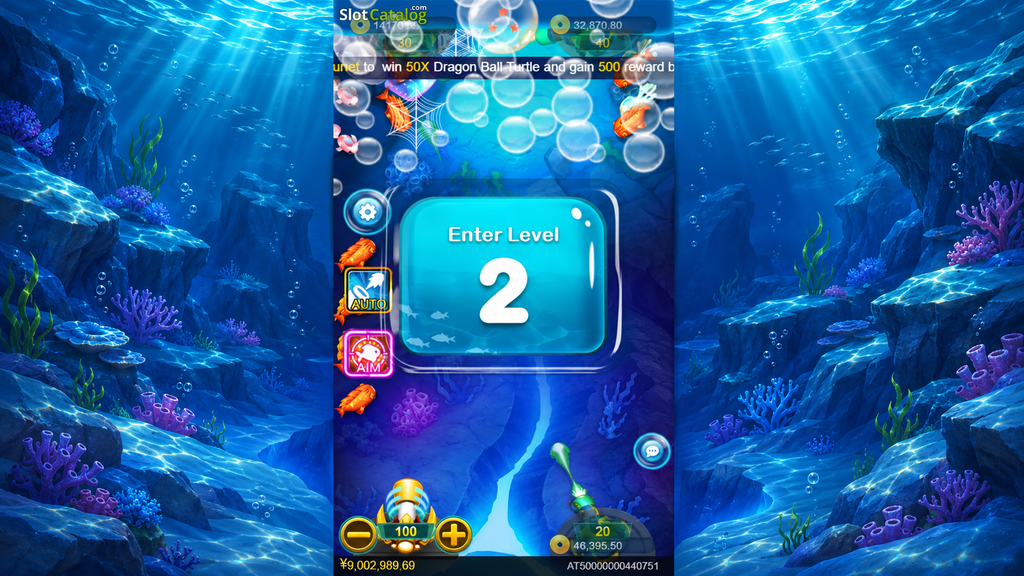
Several firing positions can be visible at once. Fish cross the same playfield, and a special target can draw attention from other players in the room. To follow your own activity, find your cannon and watch its amount and firing indicator before looking at the other positions. The hawkplay gameplay example below shows two cannon positions at the bottom of the screen.
Read the Room and Stage Separately
Newbie, Expert and Master are room names. “Enter Level 2” is a stage message that can appear within play. Use the room label for the stake band and the stage panel for progress through the session. The cannon’s setting is the figure to read immediately before pressing fire.
How the Dragon Ball Goal Fits Into Multiplayer
The collection gives the room a visible objective while ordinary fish pass through. Watch the stars at the top when a Dragon Ball Turtle is captured. Once the collection reaches seven, check the playfield for the Shenlong encounter. That’s the point in this hawkplay guide where the focus shifts from tracking room activity to identifying the boss.